
You track your steps. Your heart rate. Your sleep. Your recovery score. Every breath your body takes during a workout. That is a lot of personal data — and most fitness trackers quietly send all of it to someone else’s server the moment you sync your device.
That bothers a growing number of people. Maybe it bothers you too.
If you value your health privacy, the good news is that you do not have to choose between a great fitness tracker and keeping your data to yourself. A category of no cloud fitness trackers is quietly gaining traction among privacy-aware, health-focused buyers. These devices store data locally, offer genuine data export options, and do not require a monthly subscription just to see your own metrics.
This guide covers five of the best local-first fitness trackers available right now. We break down how each one handles your data, what it tracks well, where it falls short, and exactly who should buy it.
Table of Contents
Why Your Fitness Data Privacy Actually Matters
Most people assume their fitness tracker data just sits in an app. It rarely works that way.
A 2025 peer-reviewed study published in npj Digital Medicine evaluated the privacy policies of 17 major wearable manufacturers. The findings were sobering: a majority of companies showed high risk in transparency reporting and vulnerability disclosure. Only a handful — Apple, Google, Polar, and a few others — scored well across multiple privacy dimensions.
The risks are real and varied. Here are the most common ones:
- Third-party data sharing. Many brands share aggregated or even identifiable health data with advertisers, research partners, or insurance-adjacent companies.
- Cloud data breaches. When your data lives on a third-party server, a breach at that company puts your heart rate history and sleep patterns in the wrong hands.
- Data used against you. In jurisdictions without strong health data laws, health data could theoretically affect insurance rates or employment screening.
- Service shutdowns. If a company shuts down or discontinues a product, you may lose years of tracked data permanently.
- Mandatory accounts. Many trackers require account creation just to use basic features, which means your data exists on their servers whether you intended that or not.
“The widespread adoption of consumer wearables has enabled continuous biometric data collection at an unprecedented scale, raising important questions about data privacy, security, and user rights.”
— npj Digital Medicine, University College Dublin, 2025
The solution is not necessarily to stop tracking your health. It is to pick devices that are designed from the ground up to keep your data close to home.
What Makes a True No-Cloud Fitness Tracker?
The term is sometimes used loosely in marketing, so it is worth setting a clear standard. A genuinely local-first or no cloud fitness tracker meets most or all of these criteria:
- Stores data on the device itself without requiring immediate internet upload
- Does not require a cloud account to access your core tracking features
- Allows full data export in open or accessible formats (FIT, CSV, GPX, JSON)
- Does not sell user data to advertisers or undisclosed third parties
- Operates offline and syncs on your terms, not automatically in the background
⚠ Important Distinction Very few consumer wearables in 2025 are 100% offline with zero cloud involvement. Most trackers that sync via an app will at minimum require an account. What separates the good ones is whether cloud sync is optional, whether full features work without it, and whether data export gives you true ownership of your metrics.
Quick Comparison: 5 Best No Cloud Fitness Trackers
| Device | Local Storage | Cloud Required? | Data Export | Subscription | Privacy Score* |
| Garmin Vívosmart 5 | Up to ~2 weeks | Optional | FIT/CSV | None | ★★★★☆ |
| Polar Loop | Up to 8+ days | Optional | JSON/TCX/GPX | None | ★★★★★ |
| Withings ScanWatch Light | On-device sync | Required (GDPR) | CSV/XML | Optional | ★★★★☆ |
| PineTime (open-source) | Full local only | Never | BLE/CSV | None | ★★★★★ |
| Garmin Fenix 7 Solar | 16 GB internal | Optional | FIT/GPX | None | ★★★★☆ |
*Privacy Score is based on published policy analysis, data handling transparency, and GDPR/export compliance. Not an official rating.
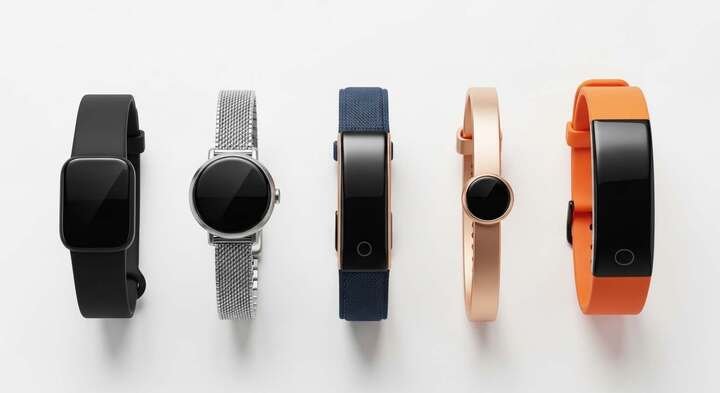
1. Garmin Vívosmart 5 — Best Everyday Tracker with No Subscription
Garmin has quietly built one of the most privacy-respectful ecosystems in mainstream fitness wearables. Unlike Fitbit, which became a Google property, or Apple Watch, which ties you deeply into a cloud ecosystem, Garmin makes money by selling hardware — not by monetizing your health data.
The Vívosmart 5 is Garmin’s most accessible tracker. It sits flat on your wrist, uses a clean grayscale OLED display, and delivers genuinely useful health data: heart rate, pulse oximetry, sleep score, stress, Body Battery energy tracking, and 14 activity modes.
How It Handles Your Data
The Vívosmart 5 stores data locally on the device and can hold several weeks of historical data before needing to sync. When you do sync, data goes into the Garmin Connect app on your phone. Crucially, Garmin Connect does not require a paid subscription for any core health feature — everything is available free.
Garmin also allows direct data export in FIT and CSV formats. You own your data, and you can pull it out any time. The device even mounts as a USB storage device on Windows, letting technically minded users access raw activity files directly.
| ✓ Pros | ✗ Cons |
| • No subscription needed for full features | • No onboard GPS — relies on phone |
| • Strong data export in FIT, CSV, GPX formats | • Garmin Connect cloud sync happens by default when connected |
| • Garmin doesn’t sell your health data | • Monochrome screen may feel basic for some |
| • Long battery life (up to 7 days) | • Older design aesthetic compared to newer rivals |
| • Works offline; syncs on your schedule | |
| • No onboard GPS (uses phone GPS) |
✓ Privacy Tip for Garmin Users In the Garmin Connect app settings, you can disable automatic sync and turn off the “share my data” features under Privacy > Data Sharing. Your data still processes locally on your device even without syncing.
2. Polar Loop — Best Screen-Free Tracker with Zero Subscription
Polar launched the Loop in late 2025 as a direct challenger to Whoop — and it lands a significant punch. Like Whoop, it is screenless and built for round-the-clock wear. Unlike Whoop, it charges you nothing beyond the purchase price.
That distinction matters a lot to privacy-focused buyers. Whoop’s subscription model requires ongoing cloud connectivity and account dependency. Polar Loop is a one-time purchase where every feature is active from day one, with no paywalled insights and no hidden fees.
How It Handles Your Data
Polar is headquartered in Finland and operates under strict EU GDPR rules, which gives it one of the most user-friendly data handling records among mainstream brands. Their stated policy is clear: your data is used only to provide the service, not sold to third parties.
The companion Polar Flow app is free. Data stays within the Polar ecosystem under EU privacy frameworks. Importantly, you can export, view, or permanently delete your data at any time — a right guaranteed under GDPR and honored even for non-EU customers.
| ✓ Pros | ✗ Cons |
| • No subscription — ever | • Newer product — long-term reliability untested |
| • Full GDPR-compliant data controls | • No screen means no on-wrist data viewing |
| • Export or delete data at any time | • Requires Polar Flow app for data access |
| • Comfortable textile strap, built for sleep | • Cloud account still required for full feature access |
| • EU-based servers with strong privacy laws | |
| • 8-day battery life |
“There’s growing demand for more discreet, screenless experiences that fit seamlessly into everyday life. Polar Loop is a one-time purchase: every feature is ready on day one.”
— Sander Werring, CEO, Polar
3. Withings ScanWatch Light — Best Looking Tracker for the Privacy-Conscious
Withings stands apart from the crowd by building fitness trackers that look exactly like classic Swiss watches. The ScanWatch Light resembles a premium analog timepiece — most people will not even notice it is a health tracker. That design philosophy extends to its approach to privacy: understated, European, and built around respect for your data.
As a French company, Withings applies the EU’s GDPR standards globally, even for customers outside Europe. Mozilla’s privacy review noted that Withings “genuinely wants to put you in control of your health data” — a rare quality in this space.
How It Handles Your Data
The ScanWatch Light tracks steps, heart rate, sleep score, and blood oxygen via a small secondary display embedded in the watch face. Battery life is exceptional at up to 30 days. Withings does require a cloud account and internet sync for full functionality, which is its main privacy trade-off.
However, Withings provides easy data download and deletion tools, publishes clear privacy documentation, and does not sell health data. The company also provides ISO 27001-certified data security and is HIPAA compliant for its health professional tools.
| ✓ Pros | ✗ Cons |
| • Looks like a premium analog watch | • Cloud account is required — no offline-only mode |
| • Strong GDPR data practices applied globally | • Health data is not end-to-end encrypted in cloud |
| • Data export and deletion are straightforward | • ECG requires sharing name/contact with third party (US) |
| • 30-day battery life is exceptional | • Withings+ subscription needed for deeper health insights |
| • No mandatory subscription (basic features free) | |
| • French company with clear EU privacy stance |
| ⚠ Note on ScanWatch and Cloud Withings requires account creation and internet connectivity for full use. However, where possible the app processes data locally on your phone first. For privacy-focused users outside the EU, it is worth reading Withings’ detailed Privacy User Guide before purchasing. |
4. PineTime — Best Open-Source Smartwatch for True Privacy Purists
If you want genuine control over every single line of software running on your wrist, nothing on this list comes close to PineTime. It is an open-source smartwatch by Pine64 — the same company behind privacy-focused Linux phones and laptops — and it runs community-built firmware with zero mandatory cloud services.
PineTime is not for everyone. It will appeal most to developers, privacy enthusiasts, and people who want to know exactly what their device is doing at all times. The firmware options (InfiniTime is the most mature) are improving rapidly and include step counting, heart rate monitoring, sleep detection, and notifications.
How It Handles Your Data
There is no cloud, no mandatory account, and no corporate privacy policy to worry about. All data stays on your device. You interact with it via open-source companion apps like GadgetBridge, which can sync data to your phone without sending anything to a server. You can audit the source code yourself, and many users do.
The trade-off is that accuracy and feature depth do not yet match commercial trackers. Heart rate readings are usable but not clinical-grade, and some lifestyle tracking features are still in active development. But for pure data ownership, PineTime is in a class of its own.
| ✓ Pros | ✗ Cons |
| • 100% open-source — audit every line of code | • Sensor accuracy below commercial-grade trackers |
| • No cloud account required — ever | • Requires technical comfort to set up optimally |
| • Extremely affordable entry point (~$26) | • Feature set still maturing |
| • Community-maintained companion apps (GadgetBridge) | • No dedicated customer support |
| • No data sharing with any company | • Build quality is utilitarian, not luxury |
| • Fully offline capable |
✓ Best App for PineTime Privacy Pair your PineTime with GadgetBridge (Android, open source). It is the gold standard for local-first wearable companion apps — no internet required, full data stays on your phone, and it supports dozens of devices beyond PineTime.
5. Garmin Fenix 7 Solar — Best Premium Option for Athletes Wanting Data Ownership
For the affluent performance athlete who wants privacy without compromising on capability, the Garmin Fenix 7 Solar is the answer. This is Garmin’s flagship outdoor sports watch — rugged, precise, and packed with sensors including built-in GPS, barometric altimeter, compass, wrist-based heart rate, and pulse oximetry.
It carries the same core Garmin data philosophy as the Vívosmart 5 but at a completely different performance level. The Fenix 7 Solar can hold up to 16 GB of data internally and provides some of the most detailed training metrics available outside of laboratory-grade tools.
How It Handles Your Data
Like all Garmin devices, the Fenix 7 Solar can function entirely offline. It records activities locally, holds them until you choose to sync, and lets you export complete workout files in FIT, GPX, and TCX formats. Garmin Connect remains free, with no paywall blocking your metrics.
A peer-reviewed privacy analysis from University College Dublin in 2025 placed Garmin in the moderate-to-low risk privacy cluster — better than Whoop, Ultrahuman, and Suunto, and on par with Polar and Withings. For an athlete tracking everything from VO2 max to sleep quality, that privacy standing matters.
| ✓ Pros | ✗ Cons |
| • 16 GB internal storage for massive data history | • Premium price (~$699–899) |
| • Built-in GPS — no phone dependency during workouts | • Large and heavy compared to everyday trackers |
| • Full activity export in open formats | • Garmin Connect does sync to cloud by default |
| • No subscription for core analytics | • Learning curve for full feature set |
| • Solar charging extends battery to 22+ days | |
| • Extremely durable — military-grade standards |
“Unlike big tech companies that earn money from data and ads, Garmin primarily makes money by selling devices and optional subscriptions. That difference in business model has real consequences for how your data is handled.”
— Privacy analysis, DevProblems.com, 2025
How to Choose the Right No Cloud Fitness Tracker for You
The five trackers above cover very different needs and price points. Here is a practical breakdown to help you match the right one to your situation:
| Your Situation | Best Pick |
| Budget under $50 | PineTime |
| Premium athlete needs | Garmin Fenix 7 Solar |
| Luxury everyday watch look | Withings ScanWatch Light |
| Technical / developer user | PineTime + GadgetBridge |
| Recovery & sleep focused | Polar Loop |
| No subscription at all costs | Polar Loop or Garmin Vívosmart 5 |
5 Questions to Ask Before You Buy Any Fitness Tracker
Use these as your privacy checklist when evaluating any wearable, not just the five in this guide:
1. Does it require a cloud account to function? Some devices are essentially useless without connecting to the brand’s servers. Check if the core tracking features work offline.
2. Can you export your data in a standard format? FIT, GPX, CSV, and TCX are open formats you can open in third-party apps or store yourself. Proprietary formats lock you in.
3. Is there a subscription, and what does it unlock? If the most important health insights sit behind a paywall, you are essentially renting access to your own biometric data.
4. Where is the company headquartered? EU-based companies operate under GDPR, which provides stronger user rights including the right to access, export, and permanently delete all data.
5. Does the company sell or share health data with third parties? Read the actual privacy policy, specifically the section on third-party sharing. Look for clear limits, not vague language about ‘affiliated partners.’
Honest Trade-Offs: What You Give Up for Privacy
Privacy-first fitness tracking is absolutely possible in 2025. But it helps to go in with clear expectations.
- AI coaching features are often cloud-dependent. Real-time personalized coaching from brands like Whoop or Apple typically requires cloud processing. Local-first devices generally offer less AI-driven insight.
- Ecosystems are smaller. Garmin, Polar, and Withings have healthy third-party integrations, but they are not as vast as Fitbit or Apple Health.
- Feature polish may be slower. Open-source options like PineTime are improving rapidly, but firmware updates depend on volunteer developers, not dedicated engineering teams.
- Some accuracy trade-offs exist. Advanced sleep staging and certain health metrics work best with cloud-side processing that aggregates large datasets.
⚠ Realistic Expectations No tracker on this list offers a perfect, 100% zero-cloud experience out of the box while also delivering polished features. The goal is meaningful privacy improvement — choosing companies with better policies, stronger data rights, and less invasive data models.
The Bottom Line
Your health data is some of the most personal information you generate. Where it goes, who sees it, and how long it lives on a server should be decisions you make consciously — not ones quietly made for you by default settings and buried terms of service.
The five no cloud fitness trackers in this guide represent the best current options for privacy-conscious buyers:
- Garmin Vívosmart 5 — the accessible, no-subscription everyday tracker from a company that sells hardware, not data.
- Polar Loop — the subscription-free, screenless wearable built under EU privacy law with full data ownership.
- Withings ScanWatch Light — the elegant choice for buyers who want luxury design and GDPR-backed data practices.
- PineTime — the open-source option for privacy maximalists willing to trade polish for full transparency.
- Garmin Fenix 7 Solar — the premium athlete’s choice that combines top-tier performance with a business model that doesn’t depend on your data.
None of these are perfect. But all of them are meaningfully better than the cloud-dependent alternatives when it comes to keeping your health data where it belongs: with you.
“Your health data says more about you than almost anything else. Choose a tracker whose business model aligns with keeping it private.”
Frequently Asked Questions
Can a fitness tracker really work without the cloud?
Yes — with limits. Trackers like Garmin devices, Polar Loop, and PineTime store data locally on the device and can function offline for days or weeks. Most still require an account and occasional sync for advanced features, but core tracking works without constant cloud connectivity.
What is the most private fitness tracker in 2025?
For full local control with no corporate cloud dependency, PineTime with GadgetBridge is the answer. For a polished mainstream option, Polar Loop (EU-based, no subscription, GDPR data rights) or Garmin (no data monetization, open export formats) are your strongest choices.
Do Garmin trackers send data to the cloud automatically?
By default, Garmin Connect syncs to Garmin’s servers when your phone connects. However, you can manage sync frequency, disable certain data-sharing features in the privacy settings, and export your data locally at any time. Garmin does not sell health data to advertisers.
Is Withings good for privacy?
Withings is one of the better mainstream options. As a French company, it applies GDPR standards globally, does not sell data, provides easy data export and deletion, and has earned positive reviews from privacy-focused organizations. The main caveat is that cloud sync is required — there is no fully offline mode.
What data formats should I look for in a local-first tracker?
Look for FIT (Garmin’s open standard, widely supported), GPX (universal GPS format), TCX (Training Center XML, used in many sports apps), CSV (spreadsheet-compatible), and JSON (open data format). Avoid devices that only offer proprietary exports you cannot open outside their own app.






Leave a Reply