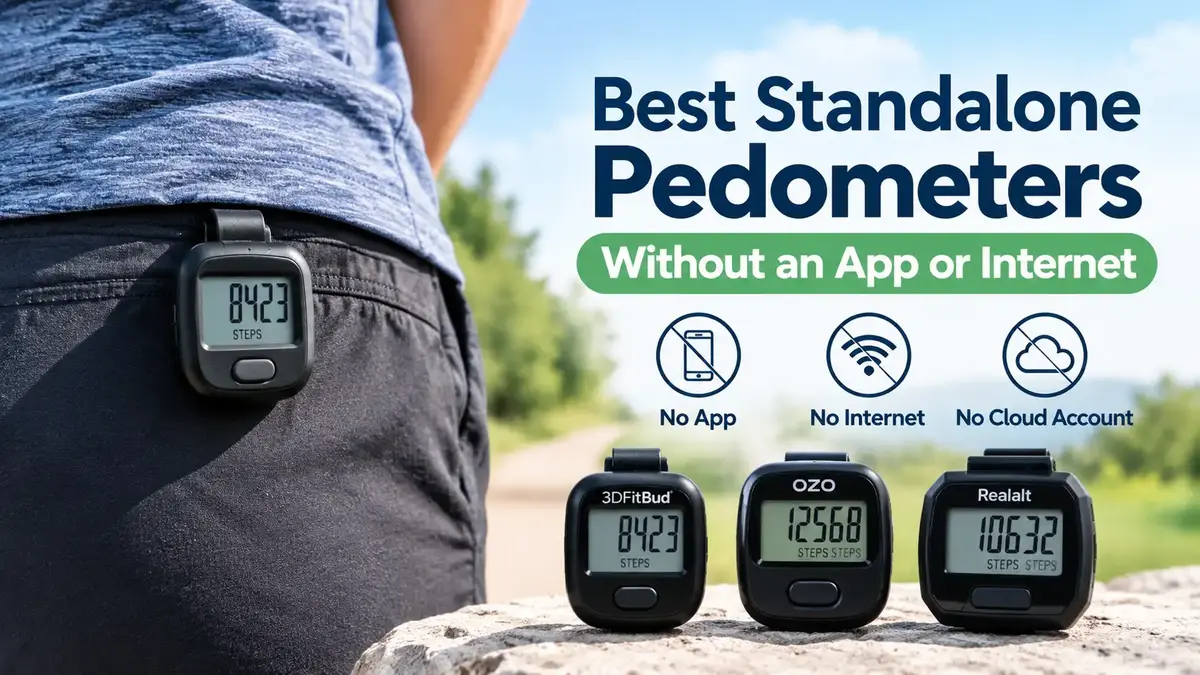

A standalone pedometer lets you count your daily steps without relying on a smartphone, cloud account, or internet connection. For people who want a simple number on a small screen, a dedicated clip-on step counter can be a practical alternative to a smartwatch or app-based fitness tracker.
This guide compares three options: the 3DFitBud Simple Step Counter for steps-only tracking, the OZO Fitness CS1 for simple operation, and the Realalt 3DTriSport for people who want a record of previous days. Product features are based on available manufacturer information, not firsthand testing.
Quick answer: Which standalone pedometer should you choose?
The best standalone pedometer depends on how much information you want to see. The 3DFitBud Simple Step Counter is worth considering if you want a basic step count without app setup. The OZO Fitness CS1 prioritizes straightforward operation and a large display. The Realalt 3DTriSport is the option to investigate if you want stored daily records. Check the exact model specifications before buying, especially if avoiding Bluetooth, smartphone pairing, and cloud accounts is essential.
Table of Contents
Best standalone pedometers at a glance
| Pedometer | Best for | Key feature | Main trade-off |
|---|---|---|---|
| 3DFitBud Simple Step Counter | Steps-only tracking | Simple display and clip-on design | Limited historical records |
| OZO Fitness CS1 | Simple operation | Large display and one-button operation | Limited additional features |
| Realalt 3DTriSport | Reviewing past days | Advertised 30-day daily history | More settings and features |
These recommendations are based on advertised features and suitability for different needs. They are not a ranking from independent accuracy tests.
1. 3DFitBud Simple Step Counter: Best for Steps Only
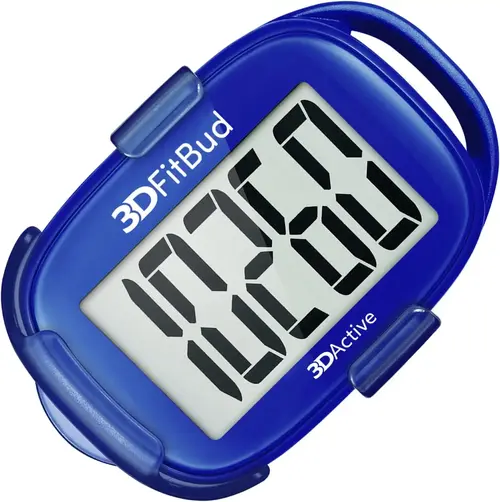
The 3DFitBud Simple Step Counter is a strong candidate for anyone who wants a dedicated digital step counter with minimal setup. According to 3DActive’s official product page, the device starts working after you remove its battery tab, and it does not require a phone or app connection.
The unit uses a three-axis motion sensor, has a large LCD display, and can be worn with its clip, carried in a pocket, or attached to a lanyard. The listed battery is a CR2032 coin cell, and the manufacturer advertises battery life of up to 12 months. Actual battery life depends on use and battery condition.
Key specifications
| Feature | Manufacturer-listed detail |
|---|---|
| Model | 3DFitBud A420S |
| Step counting | Three-axis sensor |
| Setup | Remove the battery tab |
| Display | Large LCD |
| Battery | CR2032 coin cell |
| Carrying options | Clip, lanyard or pocket |
| Phone or app connection | Not required for basic operation |
Pros
- Starts without smartphone pairing or app setup.
- Shows steps on a dedicated screen.
- Includes a clip and lanyard.
- Uses a replaceable coin-cell battery rather than requiring routine charging.
Cons
- Suited primarily to people who want a simple step count.
- Does not offer the advertised 30-day history of the Realalt 3DTriSport.
- A small clip-on device can be misplaced or detached from clothing.
Best for: Walkers who want to see their step total throughout the day without carrying a smartphone.
Skip it if: You need a built-in record of previous days, heart-rate readings, or GPS route tracking.
Check Current Price on Amazon.
2. OZO Fitness CS1: Best for Simple Controls
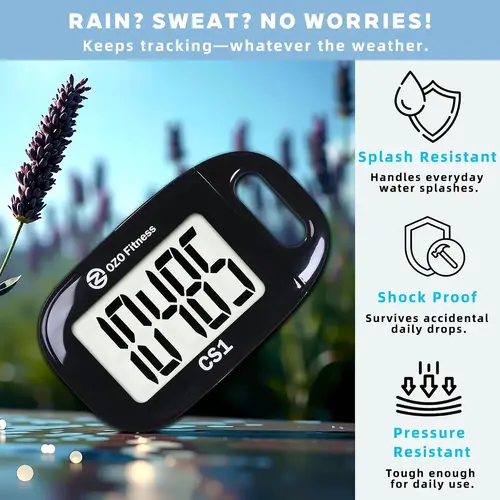
The OZO Fitness CS1 focuses on straightforward daily step counting. Its official product page describes a large display, one-button operation, and no Bluetooth or smartphone connection. The manufacturer says you can begin using it by removing the battery insulator.
The CS1 is a good fit for someone who prefers a clear number and few controls. It can be attached to clothing, carried in a pocket, or worn with its lanyard. The manufacturer lists a CR2032 battery and estimates eight months to one year of use.
One important limitation is its lack of historical records, a clock, and mileage display. The manufacturer says you can hold the clear button for three seconds to reset the count. If you want to compare Monday’s steps with Tuesday’s, you’ll need to record those totals yourself or choose a model with memory.
Key specifications
| Feature | Manufacturer-listed detail |
|---|---|
| Model | OZO Fitness CS1 |
| Setup | Remove the battery tab |
| Display | Large LCD |
| Controls | One-button operation |
| Battery | CR2032 coin cell |
| Connectivity | No Bluetooth or Wi-Fi advertised |
| Historical records | Not provided |
Pros
- Simple controls and a large display.
- No smartphone, Bluetooth, or Wi-Fi connection required for normal step counting.
- Includes a clip and lanyard.
- No charging routine.
Cons
- Does not store a daily history.
- No clock or mileage display.
- The display has no backlight according to the manufacturer’s FAQ.
- The manufacturer says it should be kept dry.
Best for: People who value easy-to-read steps and uncomplicated operation.
Skip it if: You need historical records, distance estimates, or a screen that is easy to read in darkness.
Check Current Price on Amazon.
3. Realalt 3DTriSport: Best for Local Step History
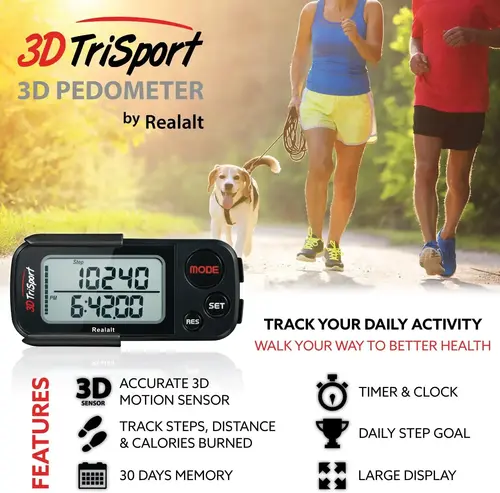
The Realalt 3DTriSport is the option to consider if you want a standalone pedometer that remembers previous days. The manufacturer’s product information advertises 30 days of daily records, alongside step count, estimated distance, calories, exercise time, and a daily step target.
That memory changes how you can use the device. With a steps-only counter, you may need to write down each day’s total before resetting it. A pedometer with daily history lets you review progress over time on the device, subject to its memory and reset behavior.
The manufacturer describes the 3DTriSport as requiring no smartphone and no subscription. Its multiple carrying options include a clip and lanyard. Confirm the exact model and regional listing before purchase, since the cited official product page is the UK storefront.
Key specifications
| Feature | Manufacturer-listed detail |
|---|---|
| Model | Realalt 3DTriSport |
| Sensor | Three-axis motion sensor |
| Metrics | Steps, estimated distance, calories and exercise time |
| History | Up to 30 days of daily records |
| Step goal | Supported |
| Carrying options | Clip, lanyard or pocket |
| Phone or subscription | Not required according to the manufacturer |
Pros
- Advertised 30-day daily history.
- Tracks more activity measures than a steps-only counter.
- Includes a daily step-target feature.
- No smartphone or subscription is required for the advertised basic operation.
Cons
- Has more features and settings than a simple steps-only counter.
- Distance and calorie values are estimates rather than direct measurements.
- Exact US availability and specifications should be checked before purchasing.
Best for: Walkers who want to review their recent daily step totals without relying on a fitness app.
Skip it if: You want only one number on the screen and prefer the fewest possible controls.
Check Current Price on Amazon.
Which standalone pedometer is right for you?
Choose according to what you want the device to remember.
| Your priority | Suggested choice | Why |
|---|---|---|
| Just show today’s steps | 3DFitBud | Simple operation without phone setup |
| Large display and simple controls | OZO Fitness CS1 | Minimal controls and straightforward counting |
| Review past daily totals | Realalt 3DTriSport | Advertised 30-day memory |
| Avoid charging | Any of these three, subject to current specifications | All list replaceable or included coin-cell battery operation |
| Track heart rate or GPS routes | None of these | They are dedicated pedometers, not full-featured sports watches |
What makes a pedometer truly standalone?
A standalone pedometer counts steps and displays them on the device itself. It does not need a phone to calculate or show the basic total.
Three separate requirements matter:
- No app required: You can start and use the device without installing a companion application.
- No internet required: Step counting works locally without Wi-Fi or mobile data.
- No cloud account required: You can use the basic features without creating an online profile or uploading step history.
A device can meet all three conditions while still having limited memory. A simple counter might retain only the current total, while another model can save previous days. Local storage means the records remain on the device for its supported memory period, rather than automatically syncing to a cloud account.
Before purchasing, read the manual for the exact model. Confirm that the device doesn’t require an app for activation, configuration, or access to its essential features. Manufacturer wording such as “no Bluetooth” is useful, but the full operating instructions are the best way to check the requirements that matter to you.
How to choose a pedometer without an app
1. Decide whether you need daily history
If you only want to check your steps at the end of the day, a basic counter may be enough. If you want to compare your totals over a week or month, choose a model with built-in memory or plan to keep a written record.
2. Check the display before buying
A large LCD can make the count easier to read at a glance. If you walk in low light, verify whether the display has a backlight. The OZO CS1 manufacturer says its display does not light up in darkness, which may matter if you take early-morning or evening walks.
3. Choose a comfortable carrying method
Clip-on pedometers work best when they remain securely attached in the position specified by the manufacturer. A pocket or lanyard may be more comfortable for some users, but the counting performance can vary with placement and movement.
4. Check battery replacement
These devices use coin-cell batteries, so check the battery type and how to replace it. Follow the device’s safety instructions and keep loose batteries away from children. Never assume a claimed battery life is guaranteed; usage and battery quality can affect it.
5. Consider how you walk
Step-counting accuracy can vary with walking speed and where a pedometer is worn. A published study of a piezoelectric pedometer found less than 3% error at normal and fast walking speeds, but higher error of 4.5–9.1% at slower speeds under the study’s conditions. Those results apply to the tested device and participants, not automatically to the three products reviewed here.
If you walk slowly, take short steps, or use a walking aid, test the pedometer against a manual count over a known number of steps before relying on its daily total.
Can a step counter work without Wi-Fi, Bluetooth or a smartphone?
Yes. A self-contained digital pedometer can use an internal motion sensor to detect walking movements, calculate a step count and display the result locally. Basic counting does not inherently require an internet connection, smartphone pairing or a cloud account.
The three products in this guide are marketed for standalone use. The 3DFitBud and OZO CS1 are designed for simple step counting, while the Realalt 3DTriSport advertises additional activity measures and stored daily history. Confirm the exact model’s documentation before buying if avoiding all wireless connectivity is a firm requirement.
A standalone pedometer also has important limits. These three products should not be treated as heart-rate monitors, GPS navigation devices or sleep trackers. If you need those functions, you’ll need different hardware, and its offline capabilities must be checked separately.
Key takeaways
- A standalone pedometer can count steps locally without a smartphone, app or internet connection.
- The 3DFitBud Simple Step Counter is a good candidate for people who want a simple step display.
- The OZO Fitness CS1 emphasizes easy operation and a large display.
- The Realalt 3DTriSport advertises 30 days of stored daily step records.
- Pedometer accuracy can vary with walking speed, placement and gait.
- Verify the exact model’s offline requirements, battery details and local-memory features before buying.
- These step counters do not replace a dedicated heart-rate monitor or GPS sports watch.
Looking for more ways to track your activity? Our guide to the Best Fitbit for Tracking Steps: Top Picks for Accuracy compares Fitbit options for everyday step counting, while Best No-Cloud Fitness Trackers (2026) explores privacy-first wearables for people who want greater control over their data. If you want to avoid recurring fees, see our roundup of Fitness Trackers Without a Subscription, or explore the Best Smart Rings Without a Subscription for a more discreet way to monitor activity.
Frequently asked questions
1. What is the best pedometer without an app?
The 3DFitBud Simple Step Counter is a sensible starting point if you want a dedicated step display with minimal setup. The OZO Fitness CS1 is worth considering if you prefer straightforward controls and a large display. Choose the Realalt 3DTriSport if its advertised 30-day history matters more to you.
2. Can a pedometer count steps without internet?
Yes. A standalone digital pedometer can detect movement and display a step total without an internet connection. Choose a model whose essential features operate directly on the device, without requiring an online account or companion app.
3. Do standalone pedometers store previous days’ steps?
Some do, and some only show the current total. The Realalt 3DTriSport advertises 30 days of daily records. The OZO Fitness CS1 explicitly lacks historical records, so it is better suited to people who want a simple daily count.
4. Are clip-on pedometers accurate?
They can provide useful step counts, but accuracy varies with the device, walking speed, placement and gait. Research has found that pedometers can make larger errors during slow walking than at normal or faster speeds. Test your chosen device against a manual count before using its totals to monitor a specific walking target.
5. Do standalone pedometers need charging?
The three models discussed here use coin-cell battery operation rather than routine USB charging. Battery life varies by model and use. Check the exact battery specification and replacement instructions before purchasing.
6. Can a smartwatch count steps without a cloud account?
Some smartwatches can count steps locally, but the answer depends on the model and its setup requirements. Certain devices require a phone or account for initial configuration, while others may offer offline step counting after setup. If you want no phone, account or internet involvement at all, a dedicated standalone pedometer is usually the simpler option.
7. Can a standalone pedometer measure heart rate?
A basic step counter cannot measure heart rate unless it includes dedicated heart-rate sensing hardware. The three pedometers in this guide are intended for step and activity tracking, not heart-rate monitoring. Check the specifications carefully if you need both functions
Sources
- 3DActive: 3DFitBud Simple Step Counter — manufacturer specifications and battery details.
- OZO Fitness: CS1 Pedometer — setup, display, connectivity and operating limitations.
- Realalt: 3DTriSport Pedometer — advertised activity features and daily history.
- Cruz, Brooks and Marques: Accuracy of piezoelectric pedometer and accelerometer step counts — peer-reviewed research on step-count accuracy.
- Pedometer accuracy in slow walking older adults — research on the limitations of step counting during slow walking.