
You track your steps. Your heart rate. Your sleep. Your recovery score. Every breath your body takes during a workout. That is a lot of personal data — and most fitness trackers quietly send all of it to someone else’s server the moment you sync your device.
That bothers a growing number of people. Maybe it bothers you too.
If you value your health privacy, the good news is that you do not have to choose between a great fitness tracker and keeping your data to yourself. A category of no cloud fitness trackers is quietly gaining traction among privacy-aware, health-focused buyers. These devices store data locally, offer genuine data export options, and do not require a monthly subscription just to see your own metrics.
This guide covers five of the best local-first fitness trackers available right now. We break down how each one handles your data, what it tracks well, where it falls short, and exactly who should buy it.
Table of Contents
Quick Comparison: 5 Best Offline Fitness Trackers
| Device | Local Storage | Cloud Required? | Data Export | Subscription | Privacy Score* |
|---|---|---|---|---|---|
| PineTime (open-source) | Full local only | Never | BLE/CSV | None | ★★★★★ |
| Polar Unite | Up to 5+ days | Optional | JSON/TCX/GPX | None | ★★★★★ |
| Garmin Vívosmart 5 | Up to ~2 weeks | Optional | FIT/CSV | None | ★★★★☆ |
| Withings ScanWatch Light | On-device sync | Required (GDPR) | CSV/XML | Optional | ★★★★☆ |
| Garmin Fenix 7 Solar | 16 GB internal | Optional | FIT/GPX | None | ★★★★☆ |
*Privacy Score is based on published policy analysis, data handling transparency, and GDPR/export compliance. Not an official rating.
| Award | Winner |
|---|---|
| Most Private Overall | PineTime |
| Best Mainstream Pick | Polar Unite |
| Best for Athletes | Garmin Fenix 7 Solar |
| Best Budget Option | PineTime |
Why Your Fitness Data Privacy Actually Matters
Most people assume their fitness tracker data just sits in an app. It rarely works that way.
Multiple peer-reviewed analyses, including work from University College Dublin published in npj Digital Medicine, have found that a majority of major wearable manufacturers show high risk in transparency reporting and vulnerability disclosure. Only a handful — Apple, Google, Polar, and a few others — scored well across multiple privacy dimensions.
The risks are real and varied. Here are the most common ones:
- Third-party data sharing. Many brands share aggregated or even identifiable health data with advertisers, research partners, or insurance-adjacent companies.
- Cloud data breaches. When your data lives on a third-party server, a breach at that company puts your heart rate history and sleep patterns in the wrong hands.
- Data used against you. In jurisdictions without strong health data laws, health data could theoretically affect insurance rates or employment screening.
- Service shutdowns. If a company shuts down or discontinues a product, you may lose years of tracked data permanently.
- Mandatory accounts. Many trackers require account creation just to use basic features, which means your data exists on their servers whether you intended that or not.
“The widespread adoption of consumer wearables has enabled continuous biometric data collection at an unprecedented scale, raising important questions about data privacy, security, and user rights.”
— npj Digital Medicine, University College Dublin
The solution is not necessarily to stop tracking your health. It is to pick devices that are designed from the ground up to keep your data close to home.
What Makes a True No-Cloud Fitness Tracker?
The term is sometimes used loosely in marketing, so it is worth setting a clear standard. A genuinely local-first or no cloud fitness tracker meets most or all of these criteria:
- Stores data on the device itself without requiring immediate internet upload
- Does not require a cloud account to access your core tracking features
- Allows full data export in open or accessible formats (FIT, CSV, GPX, JSON)
- Does not sell user data to advertisers or undisclosed third parties
- Operates offline and syncs on your terms, not automatically in the background
Important Distinction: Very few consumer wearables are 100% offline with zero cloud involvement. Most trackers that sync via an app will at minimum require an account. What separates the good ones is whether cloud sync is optional, whether full features work without it, and whether data export gives you true ownership of your metrics.
1. Garmin Vívosmart 5 — Best Everyday Tracker with No Subscription
Garmin has quietly built one of the most privacy-respectful ecosystems in mainstream fitness wearables. Unlike Fitbit, which became a Google property, or Apple Watch, which ties you deeply into a cloud ecosystem, Garmin makes money by selling hardware — not by monetizing your health data.
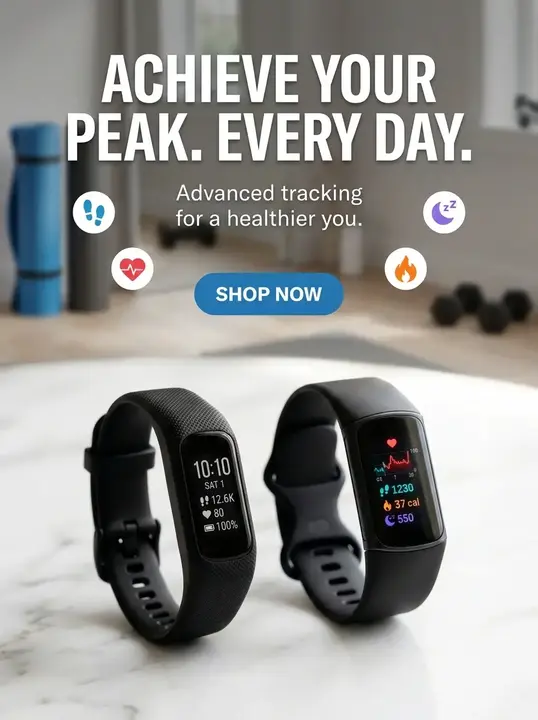
The Vívosmart 5 is Garmin’s most accessible tracker. It sits flat on your wrist, uses a clean grayscale OLED display, and delivers genuinely useful health data: heart rate, pulse oximetry, sleep score, stress, Body Battery energy tracking, and 14 activity modes.
How It Handles Your Data
The Vívosmart 5 stores data locally on the device and can hold several weeks of historical data before needing to sync. When you do sync, data goes into the Garmin Connect app on your phone. Crucially, Garmin Connect does not require a paid subscription for any core health feature — everything is available free.
Garmin also allows direct data export in FIT and CSV formats. You own your data, and you can pull it out any time. The device even mounts as a USB storage device on Windows, letting technically minded users access raw activity files directly.
Pros:
- No subscription needed for full features
- Strong data export in FIT, CSV, GPX formats
- Garmin doesn’t sell your health data
- Long battery life (up to 7 days)
- Works offline; syncs on your schedule
Cons:
- No onboard GPS — relies on phone
- Garmin Connect cloud sync happens by default when connected
- Monochrome screen may feel basic for some
- Older design aesthetic compared to newer rivals
Privacy Tip for Garmin Users: In the Garmin Connect app settings, you can disable automatic sync and turn off the “share my data” features under Privacy > Data Sharing. Your data still processes locally on your device even without syncing.
2. Polar Unite — Best Budget Tracker with Zero Subscription
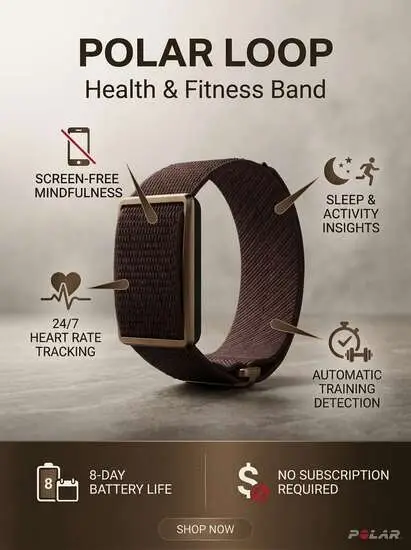
Polar’s Unite is a lightweight, full-featured fitness watch designed for everyday health tracking and recovery monitoring. Unlike Whoop, which locks advanced metrics behind a monthly fee, the Unite is a one-time purchase where every feature is active from day one, with no paywalled insights and no hidden fees.
That distinction matters a lot to privacy-focused buyers. Whoop’s subscription model requires ongoing cloud connectivity and account dependency. The Polar Unite is a one-time purchase where sleep tracking, recovery metrics, and training guidance are all included.
How It Handles Your Data
Polar is headquartered in Finland and operates under strict EU GDPR rules, which gives it one of the most user-friendly data handling records among mainstream brands. Their stated policy is clear: your data is used only to provide the service, not sold to third parties.
The companion Polar Flow app is free. Data stays within the Polar ecosystem under EU privacy frameworks. Importantly, you can export, view, or permanently delete your data at any time — a right guaranteed under GDPR and honored even for non-EU customers.
Pros:
- No subscription — ever
- Full GDPR-compliant data controls
- Export or delete data at any time
- Comfortable strap, built for 24/7 wear
- EU-based servers with strong privacy laws
- Up to 4-day battery life
Cons:
- Cloud account still required for full feature access
- No onboard GPS — uses connected GPS via phone
- Plastic build feels less premium than rivals
“There’s growing demand for accessible fitness experiences that fit seamlessly into everyday life. Polar Unite delivers professional-grade recovery and sleep data without the burden of a subscription.”
— Polar Product Team
3. Withings ScanWatch Light — Best Looking Tracker for the Privacy-Conscious
Withings stands apart from the crowd by building fitness trackers that look exactly like classic Swiss watches. The ScanWatch Light resembles a premium analog timepiece — most people will not even notice it is a health tracker. That design philosophy extends to its approach to privacy: understated, European, and built around respect for your data.
As a French company, Withings applies the EU’s GDPR standards globally, even for customers outside Europe. Mozilla’s privacy review noted that Withings “genuinely wants to put you in control of your health data” — a rare quality in this space.
How It Handles Your Data
The ScanWatch Light tracks steps, heart rate, sleep score, and blood oxygen via a small secondary display embedded in the watch face. Battery life is exceptional at up to 30 days. Withings does require a cloud account and internet sync for full functionality, which is its main privacy trade-off.
However, Withings provides easy data download and deletion tools, publishes clear privacy documentation, and does not sell health data. The company also provides ISO 27001-certified data security and is HIPAA compliant for its health professional tools.
Pros:
- Looks like a premium analog watch
- Strong GDPR data practices applied globally
- Data export and deletion are straightforward
- 30-day battery life is exceptional
- No mandatory subscription (basic features free)
- French company with clear EU privacy stance
Cons:
- Cloud account is required — no offline-only mode
- Health data is not end-to-end encrypted in cloud
- ECG requires sharing name/contact with third party (US)
- Withings+ subscription needed for deeper health insights
Note on ScanWatch and Cloud: Withings requires account creation and internet connectivity for full use. However, where possible the app processes data locally on your phone first. For privacy-focused users outside the EU, it is worth reading Withings’ detailed Privacy User Guide before purchasing.
4. PineTime — Best Open-Source Smartwatch for True Privacy Purists
If you want genuine control over every single line of software running on your wrist, nothing on this list comes close to PineTime. It is an open-source smartwatch by Pine64 — the same company behind privacy-focused Linux phones and laptops — and it runs community-built firmware with zero mandatory cloud services.
PineTime is not for everyone. It will appeal most to developers, privacy enthusiasts, and people who want to know exactly what their device is doing at all times. The firmware options (InfiniTime is the most mature) are improving rapidly and include step counting, heart rate monitoring, sleep detection, and notifications.
How It Handles Your Data
There is no cloud, no mandatory account, and no corporate privacy policy to worry about. All data stays on your device. You interact with it via open-source companion apps like GadgetBridge, which can sync data to your phone without sending anything to a server. You can audit the source code yourself, and many users do.
The trade-off is that accuracy and feature depth do not yet match commercial trackers. Heart rate readings are usable but not clinical-grade, and some lifestyle tracking features are still in active development. But for pure data ownership, PineTime is in a class of its own.
Pros:
- 100% open-source — audit every line of code
- No cloud account required — ever
- Extremely affordable entry point (~$26)
- Community-maintained companion apps (GadgetBridge)
- No data sharing with any company
- Fully offline capable
Cons:
- Sensor accuracy below commercial-grade trackers
- Requires technical comfort to set up optimally
- Feature set still maturing
- No dedicated customer support
- Build quality is utilitarian, not luxury
Best App for PineTime Privacy: Pair your PineTime with GadgetBridge (Android, open source). It is the gold standard for local-first wearable companion apps — no internet required, full data stays on your phone, and it supports dozens of devices beyond PineTime.
5. Garmin Fenix 7 Solar — Best Premium Option for Athletes Wanting Data Ownership
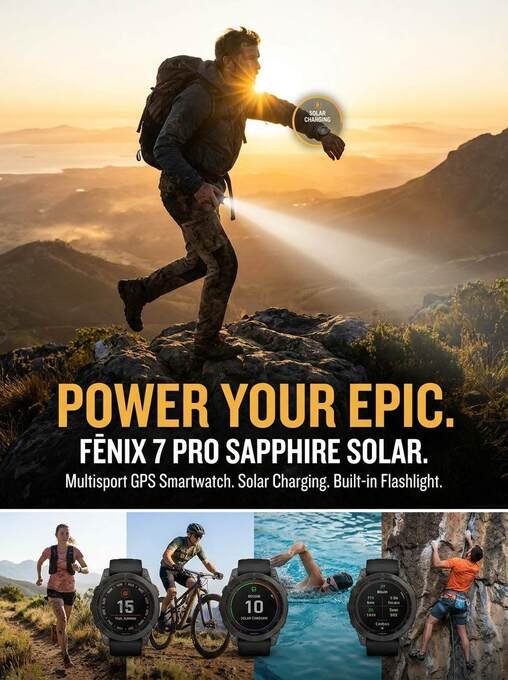
For the affluent performance athlete who wants privacy without compromising on capability, the Garmin Fenix 7 Solar is the answer. This is Garmin’s flagship outdoor sports watch — rugged, precise, and packed with sensors including built-in GPS, barometric altimeter, compass, wrist-based heart rate, and pulse oximetry.
It carries the same core Garmin data philosophy as the Vívosmart 5 but at a completely different performance level. The Fenix 7 Solar can hold up to 16 GB of data internally and provides some of the most detailed training metrics available outside of laboratory-grade tools.
How It Handles Your Data
Like all Garmin devices, the Fenix 7 Solar can function entirely offline. It records activities locally, holds them until you choose to sync, and lets you export complete workout files in FIT, GPX, and TCX formats. Garmin Connect remains free, with no paywall blocking your metrics.
A peer-reviewed privacy analysis from University College Dublin placed Garmin in the moderate-to-low risk privacy cluster — better than Whoop, Ultrahuman, and Suunto, and on par with Polar and Withings. For an athlete tracking everything from VO2 max to sleep quality, that privacy standing matters.
Pros:
- 16 GB internal storage for massive data history
- Built-in GPS — no phone dependency during workouts
- Full activity export in open formats
- No subscription for core analytics
- Solar charging extends battery to 22+ days
- Extremely durable — military-grade standards
Cons:
- Premium price (~$699–899)
- Large and heavy compared to everyday trackers
- Garmin Connect does sync to cloud by default
- Learning curve for full feature set
“Unlike big tech companies that earn money from data and ads, Garmin primarily makes money by selling devices and optional subscriptions. That difference in business model has real consequences for how your data is handled.”
— Privacy analysis, DevProblems.com
Best Non-Subscription Fitness Tracker: No Monthly Fees
If you refuse to rent access to your own biometric data, two devices in this guide stand out above the rest.
The Polar Unite requires zero subscription for full feature access — sleep tracking, recovery metrics, and training guidance are all included in the purchase price. The Garmin Vívosmart 5 also unlocks every core metric without paying extra, and the more advanced Garmin Fenix 7 Solar similarly charges nothing for its deep analytics.
Compare this to Whoop, Oura, or Fitbit Premium, which paywall your sleep scores, recovery data, and advanced insights behind $10–30 per month. With a non-subscription tracker, you buy the device once and own your data permanently.
Sleep Tracking & Privacy Compared
All five trackers in this guide monitor sleep, but they handle that sensitive data very differently:
| Device | Sleep Data Storage | Cloud Required for Sleep Scores? |
|---|---|---|
| PineTime | On-device only | Never |
| Garmin Vívosmart 5 | Local device, optional cloud sync | No — sleep score works offline |
| Garmin Fenix 7 Solar | Local device, optional cloud sync | No — full sleep analytics offline |
| Polar Unite | Local device, optional Polar Flow sync | No — basic sleep data on wrist |
| Withings ScanWatch Light | Cloud processing for detailed staging | Yes — account required |
If sleep data privacy is your top priority, PineTime or Garmin are your strongest choices. Both allow you to track sleep stages, heart rate variability, and recovery metrics without ever uploading that data to a remote server.
Honest Trade-Offs: What You Give Up for Privacy
Privacy-first fitness tracking is absolutely possible. But it helps to go in with clear expectations.
- AI coaching features are often cloud-dependent. Real-time personalized coaching from brands like Whoop or Apple typically requires cloud processing. Local-first devices generally offer less AI-driven insight.
- Ecosystems are smaller. Garmin, Polar, and Withings have healthy third-party integrations, but they are not as vast as Fitbit or Apple Health.
- Feature polish may be slower. Open-source options like PineTime are improving rapidly, but firmware updates depend on volunteer developers, not dedicated engineering teams.
- Some accuracy trade-offs exist. Advanced sleep staging and certain health metrics work best with cloud-side processing that aggregates large datasets.
Realistic Expectations: No tracker on this list offers a perfect, 100% zero-cloud experience out of the box while also delivering polished features. The goal is meaningful privacy improvement — choosing companies with better policies, stronger data rights, and less invasive data models.
How to Choose the Right No Cloud Fitness Tracker for You
The five trackers above cover very different needs and price points. Here is a practical breakdown to help you match the right one to your situation:
| Your Situation | Best Pick |
|---|---|
| Budget under $50 | PineTime |
| Premium athlete needs | Garmin Fenix 7 Solar |
| Luxury everyday watch look | Withings ScanWatch Light |
| Technical / developer user | PineTime + GadgetBridge |
| Recovery & sleep focused | Polar Unite |
| No subscription at all costs | Polar Unite or Garmin Vívosmart 5 |
5 Questions to Ask Before You Buy Any Fitness Tracker
Use these as your privacy checklist when evaluating any wearable, not just the five in this guide:
1. Does it require a cloud account to function?
Some devices are essentially useless without connecting to the brand’s servers. Check if the core tracking features work offline.
2. Can you export your data in a standard format?
FIT, GPX, CSV, and TCX are open formats you can open in third-party apps or store yourself. Proprietary formats lock you in.
3. Is there a subscription, and what does it unlock?
If the most important health insights sit behind a paywall, you are essentially renting access to your own biometric data.
4. Where is the company headquartered?
EU-based companies operate under GDPR, which provides stronger user rights including the right to access, export, and permanently delete all data.
5. Does the company sell or share health data with third parties?
Read the actual privacy policy, specifically the section on third-party sharing. Look for clear limits, not vague language about ‘affiliated partners.’
The Bottom Line
Your health data is some of the most personal information you generate. Where it goes, who sees it, and how long it lives on a server should be decisions you make consciously — not ones quietly made for you by default settings and buried terms of service.
The five offline fitness trackers in this guide represent the best current options for privacy-conscious buyers who want hardware that works without the cloud:
- Garmin Vívosmart 5 — the accessible, no-subscription everyday tracker from a company that sells hardware, not data.
- Polar Unite — the subscription-free wearable built under EU privacy law with full data ownership.
- Withings ScanWatch Light — the elegant choice for buyers who want luxury design and GDPR-backed data practices.
- PineTime — the open-source option for privacy maximalists willing to trade polish for full transparency.
- Garmin Fenix 7 Solar — the premium athlete’s choice that combines top-tier performance with a business model that doesn’t depend on your data.
None of these are perfect. But all of them are meaningfully better than the cloud-dependent alternatives when it comes to keeping your health data where it belongs: with you.
“Your health data says more about you than almost anything else. Choose a tracker whose business model aligns with keeping it private.”
Suggested Reads
Best Smart Ring Without Subscription (2026): Top 5
Private Fitness Tracker: Secure Health Monitoring Guide
Fitness Tracker No Subscription: 9 Best Picks for 2026
Best Wearable Fitness Trackers That Work Offline
Low-EMF Fitness Trackers & Smartwatches in 2026
Frequently Asked Questions
What is the most private fitness tracker?
For absolute privacy with no corporate cloud dependency, PineTime with GadgetBridge is the answer. It runs open-source firmware, requires no account, and stores all data on the device. For a polished mainstream option, the Polar Unite (GDPR-based, no subscription) or Garmin Vívosmart 5 (no data monetization, open export formats) are your strongest choices.
Which smartwatch stores fitness data completely offline?
The PineTime stores all data locally with no cloud account ever required. For athletes needing built-in GPS and advanced metrics, the Garmin Fenix 7 Solar holds up to 16 GB of activity files internally and exports them in FIT, GPX, and TCX formats without needing internet.
Can I use a fitness tracker without a cloud account?
Yes. The PineTime requires no account at all. Garmin devices work offline for weeks and only sync when you choose. Polar requires an account for full features but operates under strict EU privacy law.
What is the best fitness tracker with no subscription?
The Polar Unite and Garmin Vívosmart 5 both offer complete feature access with zero monthly fee. This contrasts with Whoop, Oura, and Fitbit Premium, which charge recurring fees to view advanced metrics like sleep scores and recovery data.
Do Garmin trackers send data to the cloud automatically?
By default, Garmin Connect syncs to Garmin’s servers when your phone connects. However, you can manage sync frequency, disable certain data-sharing features in the privacy settings, and export your data locally at any time. Garmin does not sell health data to advertisers.
Is Withings good for privacy?
Withings is one of the better mainstream options. As a French company, it applies GDPR standards globally, does not sell data, provides easy data export and deletion, and has earned positive reviews from privacy-focused organizations. The main caveat is that cloud sync is required — there is no fully offline mode.
What data formats should I look for in a local-first tracker?
Look for FIT (Garmin’s open standard, widely supported), GPX (universal GPS format), TCX (Training Center XML, used in many sports apps), CSV (spreadsheet-compatible), and JSON (open data format). Avoid devices that only offer proprietary exports you cannot open outside their own app.